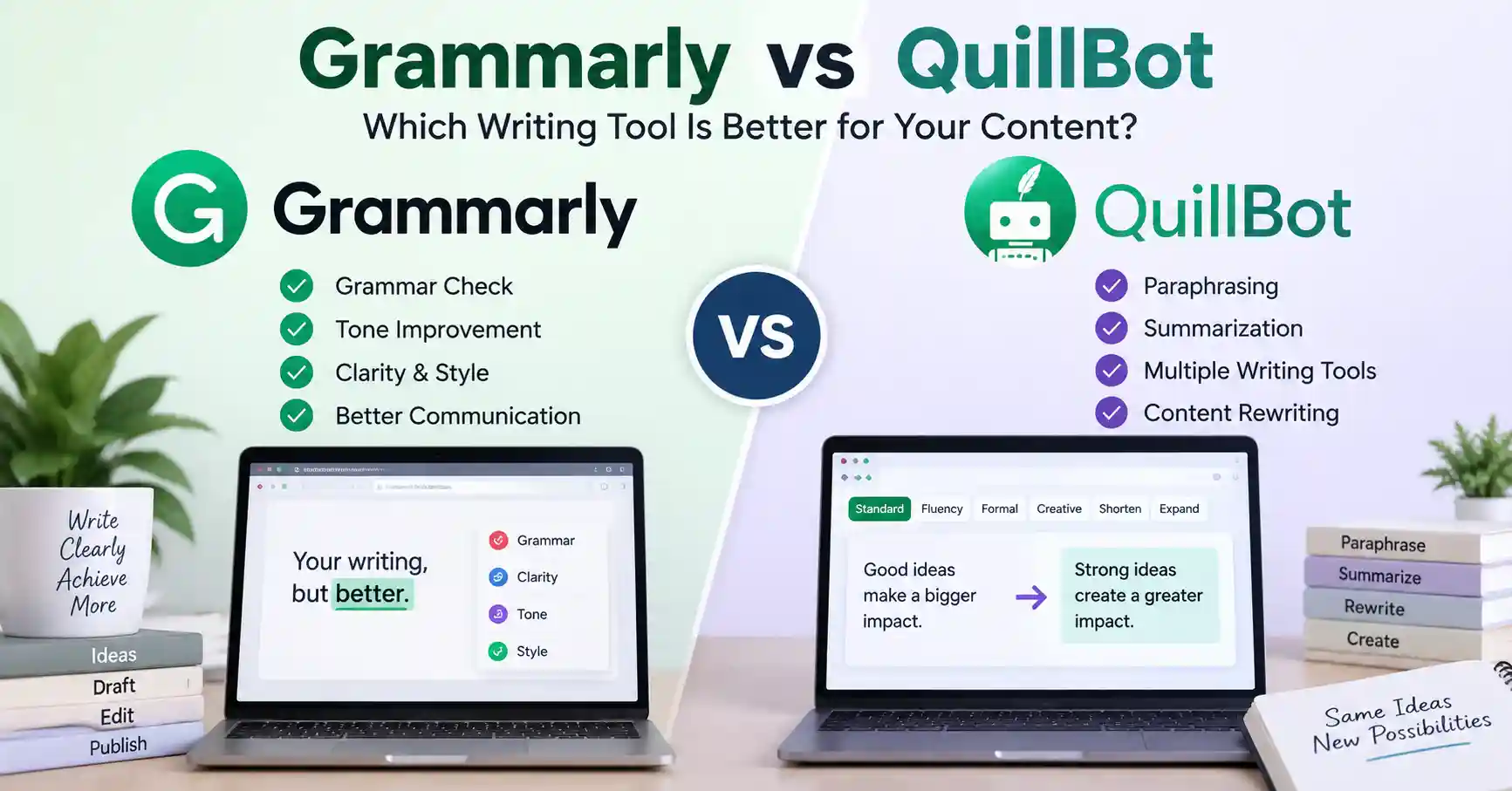
Grammarly vs QuillBot: Which Writing Tool Is Better for Your Content?
Published September 8, 2026
Picking Grammarly or QuillBot gets genuinely tricky. Both sharpen your prose, sure, but they fix entirely different problems. Grammarly zeroes in on grammar, tone, clarity, and making your writing truly shine, while QuillBot rules at paraphrasing, condensing, and radically shaking up your phrasing. It all boils down to your ultimate goal. Do you just want to polish what is already on the page, or do you need to bend it into a completely brand new shape? This guide breaks down how they stack up, which tool wins for specific tasks. And what fits best into your daily workflow.
Table of Contents
What is Grammarly vs QuillBot
Why Grammarly vs QuillBot Is Important
Grammarly vs QuillBot Comparison
Step by Step Guide
Best Practices and Tips
Common Mistakes
Tools
FAQs
Conclusion
What is Grammarly vs QuillBot
Grammarly and QuillBot both harness intelligence to elevate your prose. Grammarly tackles mechanics, tone, and rapid polishes, operating seamlessly everywhere you type. Think web browsers, desktop apps, email, and document software.
QuillBot takes another road entirely, it's built for rewriting. It's loaded with tools: parsers, checkers, translators. Take a line: "The marketing campaign was successful because it increased customer engagement." Grammarly will push you to tighten that. Make it punchier, it's just what it does. QuillBot? It tends to completely reshuffle the structure. You might get something like: The marketing campaign succeeded by driving higher levels of customer engagement.
The gap isn't massive. Yet it shows, Grammarly shines when you need to polish what's already on the page. QuillBot wins the moment you want entirely fresh wording.
Why Grammarly vs QuillBot Is Important
Learn the distinction. Pick the wrong assistant today, and your entire workflow simply stalls out cold.
• Faster editing. AI suggestions cut right through the drag of manually rewriting sentences, saving loads of time.
• QuillBot gives you options. When you're stuck trying to say the same thing three different ways, it handles the heavy lifting.
• Grammarly sharpens how you talk at work. It helps you nail the right tone, clean up messy sentences, and actually speak to whoever's reading on the other end.
• Master every tool, Ditch the bloated software you ignore. Seriously, focus purely on core strengths instead of adding more noise to your day.
Grammarly vs QuillBot Comparison
Mission drives a massive wedge between them. Grammarly merely smooths your everyday chatter, whereas QuillBot handles brutal rewrites, packing an unexpectedly vast and formidable toolbox of writing gear.
Grammarly offers a free tier alongside their Pro option, bringing full sentence tweaks, tone shifts, and AI prompts. That upgrade? Twelve bucks a month per user when billed annually, Not cheap.
QuillBot offers a free tier. Pay for Premium, however, and you suddenly unlock endless paraphrasing, sharper writing suggestions, deep plagiarism checks, and other robust utilities. Right now, the annual subscription plummets your monthly cost down to just eight dollars. Prices can shift depending on where you are and which subscription option you pick.
The main point here? Grammarly wins on straight editing and everyday communication. QuillBot, though, takes the crown when you need to rewrite or paraphrase.
Step by Step Guide
Step 1: Identify Your Main Writing Problem
Find your true hurdle first. If grammar or strict styling trips you up, start with Grammarly. But when you are hopelessly stuck untangling clumsy phrasing, hunting for fresh vocabulary. Or just staring blankly at the screen, turn to QuillBot instead.
Step 2: Test the Same Content in Both Tools
Take a real paragraph from your workflow and test it in both platforms.
For example:
Last month we put out a brand new product. Sales flatlined anyway. Not what we hoped for, Grammarly hones in on tone and clarity. QuillBot gives you other ways to phrase things, like saying performance simply fell short. Try out this quick test. It shows you right away which tool actually fits your voice.
Step 3: Use Grammarly for Final Editing
Drop that draft right into Grammarly. Clunky phrasing, messy grammar, vague clauses, and weird tone shifts just vanish, Emails, landing pages, business reports, social posts, and client chats get fixed instantly. It actually works.
Working seamlessly across countless third party applications and web browsers, this platform remains peerless, Truly ideal for composing everywhere, not just trapped inside a standard document window.
Step 4: Use QuillBot When You Need Rewriting
Use QuillBot when the original sentence is technically correct but does not sound right.
For example:
Our software cuts out manual chores, How? By putting repetitive business tasks on autopilot. You save hours.
Paraphrasing like this helps when you are updating stale content, spinning up fresh copy, or just trying to mix up your sentence structures a bit.
You can also explore the AI Writing Tools section for other writing and productivity tools.
Step 5: Combine Both Tools When Necessary
Never marry just one tool. Write your first draft alone. Then bring in QuillBot when paragraphs demand a fresh spin.Grammarly comes last. It catches awkward phrasing and polishes the tone right up. For marketers, mixing these strengths beats trusting any single platform.
Best Practices and Tips
• Use QuillBot with a bit of restraint. Don't just run every single sentence through it.
• Run your text through Grammarly after you finish writing, because swapping words around tends to break the grammar sometimes.
• Always review AI suggestions manually before publishing.
• Keep your original brand voice instead of accepting every suggested rewrite.
• Test important content with both tools before deciding which subscription provides better value.
• Use the Writing Tools collection to compare other AI writing and productivity solutions.
For additional information, you can also review the official Grammarly features page and QuillBot Premium page.
Common Mistakes
Using QuillBot to Rewrite Everything
Rewriting everything usually goes weird, Fix only the broken pieces, and leave the rest alone.
Treating Grammarly Suggestions as Absolute Rules
A grammar tool provides recommendations, not editorial judgment. A suggestion may technically improve a sentence while making it less suitable for your audience.
Ignoring Brand Voice
AI tools can make content grammatically correct but generic. Always check whether the final version still sounds like your company or personal brand.
Comparing Only Free Features
Free trials offer bare essentials. Yet, they obscure superior features. Always clarify your exact needs prior to spending any cash.
Publishing AI Suggestions Without Reviewing Them
Both tools can misunderstand context.People still matter, Especially for crafting bold claims, dense technical content, and critical professional communication.
Tools
Grammarly
Your top choice for striking tone, polish, and pure clarity.
QuillBot
Best for paraphrasing, rewriting, summarization, and content transformation.
Grammarly Pro
A solid pick for teams needing deep text edits, tone shifts, AI help, plus brand tools.
QuillBot Premium
It aids those needing endless revisions, plagiarism checks, and AI detection. Plus advanced tools. Truly invaluable.
FAQ’s
Is Grammarly better than QuillBot?
Your goal dictates the instrument, Grammarly corrects mechanics and tone, while QuillBot effortlessly transforms phrasing. Pick your poison wisely.
Is QuillBot better than Grammarly for paraphrasing?
Essentially, QuillBot takes your text and twists it. Oh, and it offers different ways to paraphrase. But some of those extra modes, Premium only, unfortunately.
Can I use Grammarly and QuillBot together?
That setup works. For those gnarly drafts, QuillBot untangles awkward phrasing Grammarly, then, handles proofreading, clarity, and your final tone. It’s a solid workflow.
Which is cheaper, Grammarly or QuillBot?
Looking at yearly rates right now, QuillBot Premium beats Grammarly Pro on monthly cost. That said, prices change. QuillBot also points out your actual bill might shift depending on what country you are sitting in.
Which tool is better for content marketers?
For content marketers, the right pick comes down to workflow. Grammarly shines when you need polished final text. QuillBot? It helps when you are rewriting, recycling, or building fresh variations from older stuff.
Conclusion
Pitting Grammarly against QuillBot gets you nowhere. Neither takes the crown. The choice really boils down to what you are trying to pull off on the page today.
Grammarly wins if clean mechanics, polished tone, and professional polish matter most. Period. Choose QuillBot instead when you spend entire afternoons spinning sentences, condensing bulky paragraphs. Or tearing down old drafts to rebuild them totally from scratch.
Running both tools makes total sense for heavy duty writing workflows. QuillBot does the messy legwork of shifting your phrasing around, and then Grammarly sweeps in to catch any lingering slip ups and sharpen the final rhythm until it sings.
Experiment. Run a raw draft through each app side by side. Pay attention to speed, edit quality, and whether you even touch half their buttons. That beats reading spec sheets every single time.