Datamate AI Review: Features, Pricing, Use Cases & Alternatives
Published November 14, 2026
Business data is only useful when teams can turn it into actionable insights. Yet getting answers often involves waiting for analysts, requesting custom reports, or navigating dashboards that show what happened without explaining why. Datamate AI takes a different approach, allowing businesses to ask questions about their data in natural language and explore the reasoning behind their results.
Datamate is an AI powered business analytics platform built to help companies investigate business metrics without relying entirely on traditional reporting workflows. Rather than switching between dashboards, users can ask questions and explore the factors influencing business performance.
In this Datamate AI review, we'll look at its features, pricing, practical use cases, limitations, and alternatives to help you decide whether it's worth considering.
What Is Datamate AI?
Datamate is a conversational analytics platform that uses AI to help businesses explore operational and financial data. Its focus isn't just displaying charts or reporting numbers. Instead, it helps users answer business questions and understand changes in performance.
According to its official website, Datamate aims to shorten the gap between asking a business question and getting an analytical explanation. The platform positions itself between traditional business intelligence software and human analysts, without claiming to replace either completely.
Consider an ecommerce manager trying to understand why revenue dropped last week. Rather than waiting for a custom report, they could ask Datamate to investigate the decline and identify potential contributing factors.
The key difference is its approach to analytics. Datamate focuses on conversational business insights, while traditional BI platforms typically center on dashboards, visualizations, and structured reporting.
How Does Datamate AI Work?
Datamate's onboarding process follows four main steps:
Connect your database: Connect your business database to the Datamate platform.
Describe the data: Datamate's team helps document the database structure so the AI can interpret the information.
Configure business logic: Define metrics and calculation rules to reduce ambiguity and incorrect interpretations.
Ask questions: Start asking business questions and exploring analytical results.
This setup matters more than it might initially seem. Revenue, customer acquisition cost, and conversion rates don't always mean the same thing across organizations. An AI system needs clear definitions before it can interpret these metrics accurately.
For instance, one company might calculate revenue after refunds and discounts, while another uses a different reporting method. The treatment of taxes and reporting periods can also affect results. Documenting business logic gives Datamate a clearer framework for interpreting questions and analyzing data.
Datamate AI Features
Datamate's official website highlights several capabilities that define its conversational analytics approach.
Conversational Business Analytics
Instead of manually navigating reports or writing database queries, users can ask questions about business data in natural language.
This is useful when managers need answers but aren't sure which dashboard contains the relevant information or how to query the database themselves.
Business Metric Analysis
Datamate is designed to investigate changes in business performance and explain potential reasons behind them.
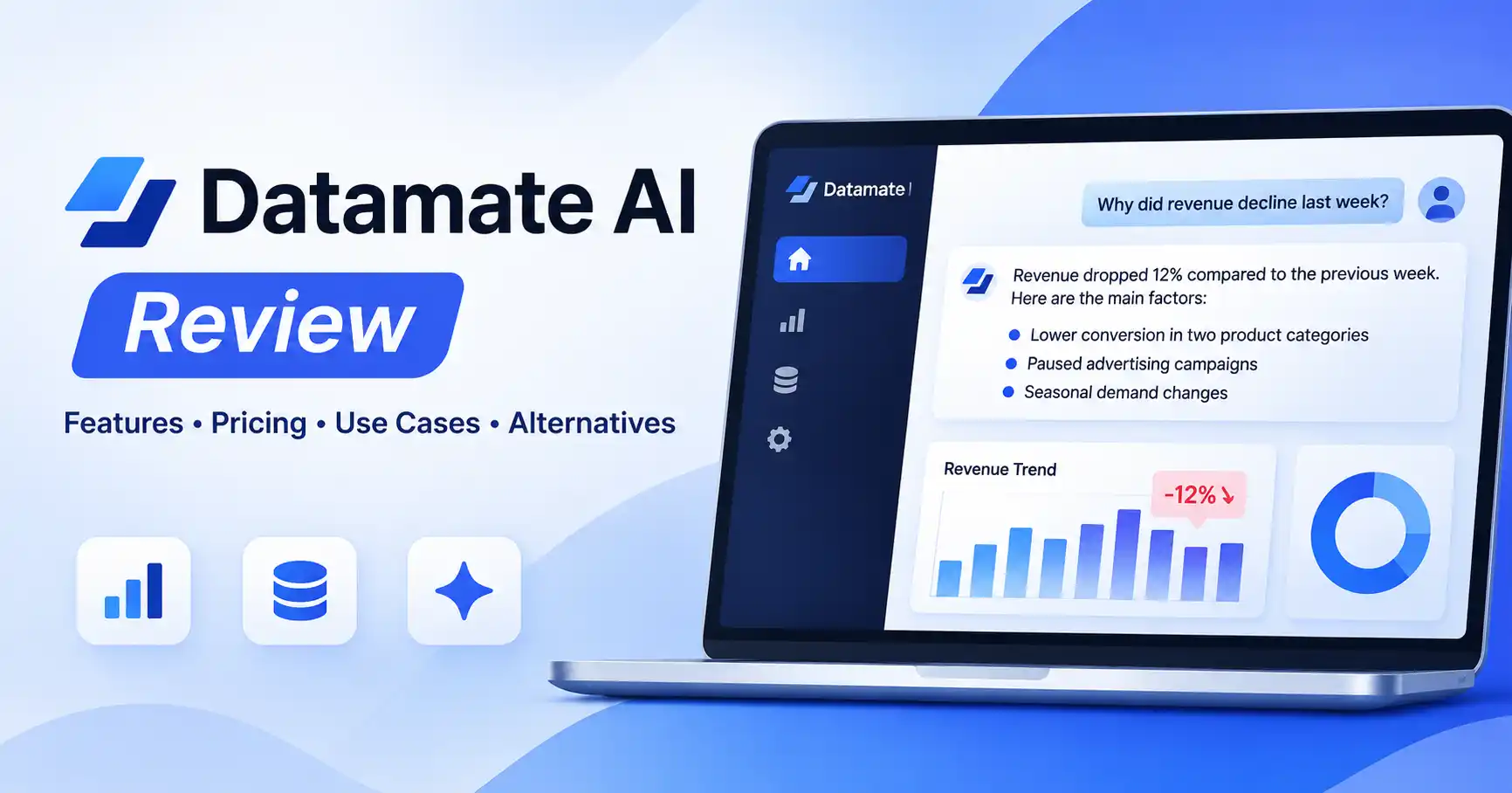
Its website illustrates a revenue decline analysis that identifies possible factors such as lower conversion in a product category, paused advertising campaigns, and seasonal changes. This example comes from the vendor and shouldn't be interpreted as an independently verified performance result.
AI Answer Verification
Datamate claims that a separate neural network validates its answers.
This is an important part of its product positioning. However, its public website doesn't provide sufficient independent benchmark data to establish how consistently this verification process improves analytical accuracy.
Transparent Analytical Reasoning
Datamate also emphasizes visibility into its analytical reasoning, helping users understand how an answer was developed.
That additional context can make business insights easier to review. Still, transparency doesn't automatically make an answer correct. Important calculations, assumptions, and conclusions should be checked against the underlying data.
Datamate AI Use Cases
Datamate is most relevant when teams need to understand why business metrics are changing, rather than simply monitor them.
Ecommerce Revenue Analysis
An ecommerce manager could use Datamate to investigate:
Why revenue declined during the week
Which product categories experienced lower conversion
Whether average order value changed
Which sales trends require further investigation
These insights can help teams decide where to focus their analysis. However, business decisions should also account for factors such as inventory availability, pricing changes, and marketing campaigns.
Marketing Performance Analysis
Marketing teams can explore campaign performance, traffic fluctuations, and conversion trends through conversational analytics.
For example, a marketer might ask why paid advertising revenue declined even though campaign spending increased.
The usefulness of this analysis depends on whether the relevant campaign and revenue data are connected and properly defined.
Sales and Business Operations
Sales managers could examine revenue by region, product category, or reporting period. Operations teams might investigate changing business metrics and identify areas that need attention.
These workflows are more useful when the underlying data is reliable and the organization has clearly defined performance indicators.
Datamate AI Pricing
Datamate doesn't provide enough publicly available pricing information on its official website to support a reliable subscription comparison.
Instead of publishing a straightforward self service pricing table, the website emphasizes requesting a demo.
Before committing to the platform, businesses should clarify:
Whether pricing is subscription based or customized
Database connection and setup fees
Number of users included
Usage limits or analytical query allowances
Support and onboarding costs
Data security and retention policies
Contract duration and cancellation terms
Since public pricing and free plan limits aren't clearly established, assigning Datamate a specific monthly price or describing it as free would be misleading.
For current pricing information, visit Datamate's official website.
Datamate AI Pros and Cons
Datamate's biggest potential advantage is convenience. The main consideration is whether your business can connect the required data and confidently use the resulting analysis in everyday decisions.
Datamate AI Alternatives
Datamate isn't the only option for conversational analytics. Several platforms approach data analysis differently, depending on the type of information you work with and the reporting capabilities you need.
Datamate vs Julius AI
Julius AI is a practical option for people working primarily with Excel files, CSV datasets, or supported connected sources. It offers conversational data analysis and visualization capabilities.
Datamate takes a more business database oriented approach in its published workflow, focusing on configured business metrics and database connected analysis.
Julius AI makes more sense for flexible dataset exploration. Datamate is worth evaluating when your team regularly asks business questions about connected operational data.
Datamate vs ThoughtSpot
ThoughtSpot focuses on search driven analytics and business intelligence. It's particularly relevant for organizations that want natural language data exploration within a governed analytics environment.
Datamate, on the other hand, emphasizes conversational analysis and explanations of business performance.
ThoughtSpot may be a stronger fit when enterprise analytics, data governance, and broader reporting requirements are central to your workflow.
Datamate vs Power BI
Power BI is built for creating dashboards, reports, and interactive visualizations across business datasets.
Datamate puts conversational investigation at the center of its workflow rather than dashboard creation.
If your team needs recurring management dashboards, visual reporting, and established BI workflows, Power BI deserves consideration. If you're more interested in asking questions about business data and exploring possible explanations, Datamate's approach may be more relevant.
For more options, explore Allaipedia's best AI tools for data analysis
Is Datamate AI Worth Using?
Datamate is worth evaluating if your organization already stores business data in databases and regularly needs answers about changing performance.
It may be particularly useful for:
Business owners looking for quicker access to analytical insights
Ecommerce teams investigating revenue and conversion changes
Marketing managers reviewing business performance
Operations managers seeking explanations behind metric changes
That said, Datamate won't necessarily suit every analytical workflow.
If you mainly work with individual spreadsheets, Julius AI may be more practical. Teams that need established reporting workflows, dashboard creation, or enterprise BI infrastructure may find ThoughtSpot or Power BI more suitable.
Before adopting Datamate, request a demonstration using actual business questions. Confirm database compatibility, access controls, pricing, and how its analytical validation process works.
FAQ’s
What is Datamate AI used for?
Datamate AI is designed for conversational business analytics. It allows users to ask questions about business data and investigate possible explanations for changes in performance.
Is Datamate AI free?
A clearly documented public free plan wasn't verified during research. Contact Datamate to confirm current pricing, trial availability, and any usage restrictions.
Can Datamate AI replace business analysts?
Datamate may reduce the need for some routine analytical requests, but it shouldn't be considered a complete replacement for business analysts. Complex investigations, statistical validation, business interpretation, and strategic recommendations still require human expertise.
Is Datamate AI safe for business data?
Security depends on the platform's actual controls, deployment arrangements, and access policies. Before connecting sensitive information, ask Datamate about encryption, database permissions, data retention, access logging, and relevant security certifications. Don't assume a certification or security guarantee without verifying it.
Conclusion
Datamate AI offers a business focused approach to conversational analytics. Its combination of database connections, configured business logic, and explanations of changing metrics makes it an interesting option for companies looking to investigate operational questions more efficiently.
Whether it fits your organization depends on your data environment, analytical requirements, budget, and confidence in its outputs. Test it with real business questions, validate the results, and compare it with alternatives before making a decision.
For businesses interested in a conversational way to investigate performance, Datamate is worth exploring. Those focused on spreadsheet analysis or traditional dashboard reporting may find other tools a better fit.
Browse the AI tools directory .